Free DVD to MP4 Converter
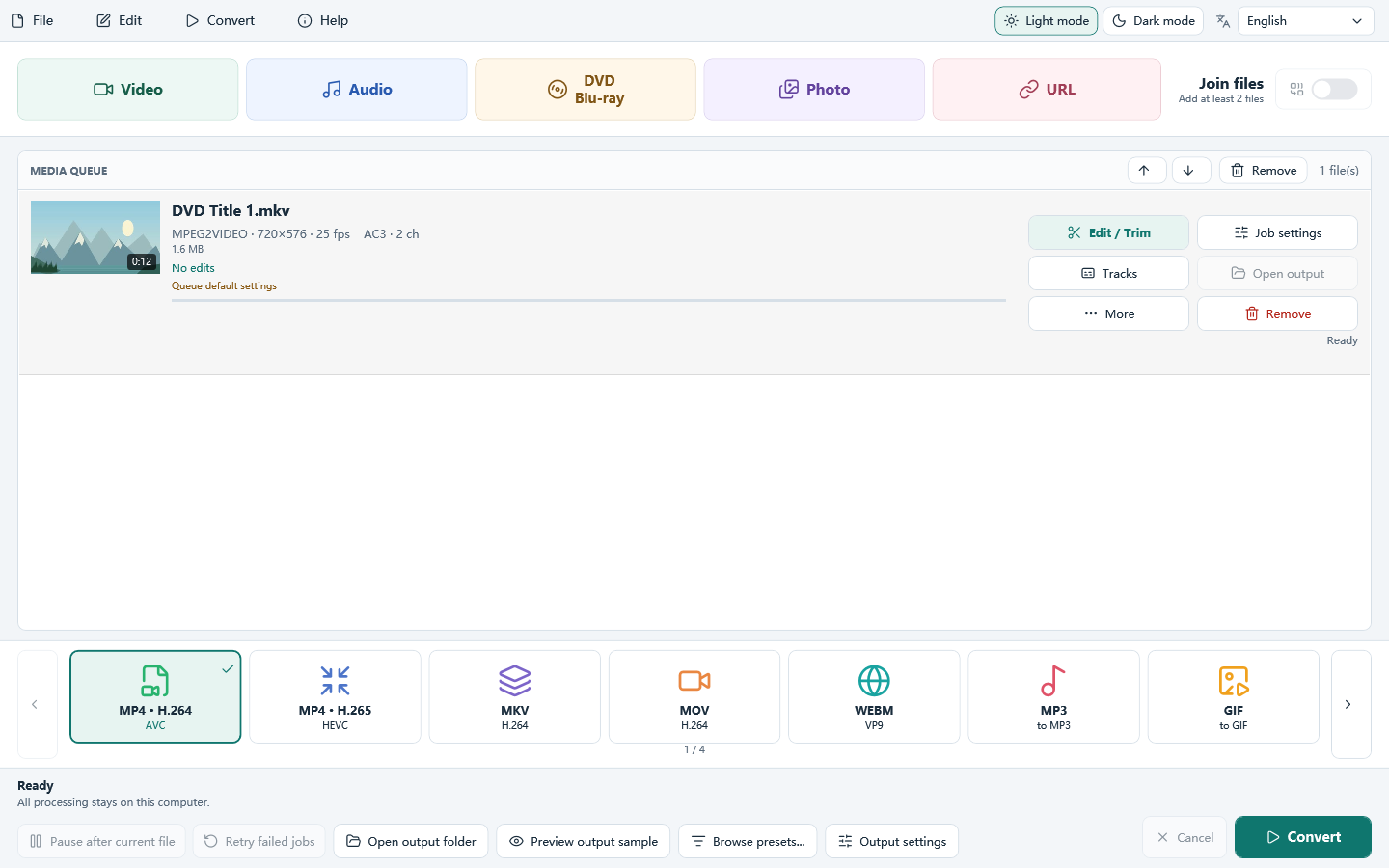
Convert an unencrypted DVD-Video folder to an MP4 file you can keep and play on a compatible device. Download All Free Video Converter for Windows 10/11 (64-bit). Use your own or authorized DVD material; conversion runs on your PC.
This is Windows PC software. Open this page on your computer to download and install it.
- Cost
- Free to download and use
- Runs on
- Windows 10/11 (64-bit)
- Setup file
- 2.07 MiB
- Version
- 8.1.0
How to convert a DVD folder to MP4 in 3 steps
Choose the title, select MP4 · H.264 and check the completed file.
Add a complete VIDEO_TS folder
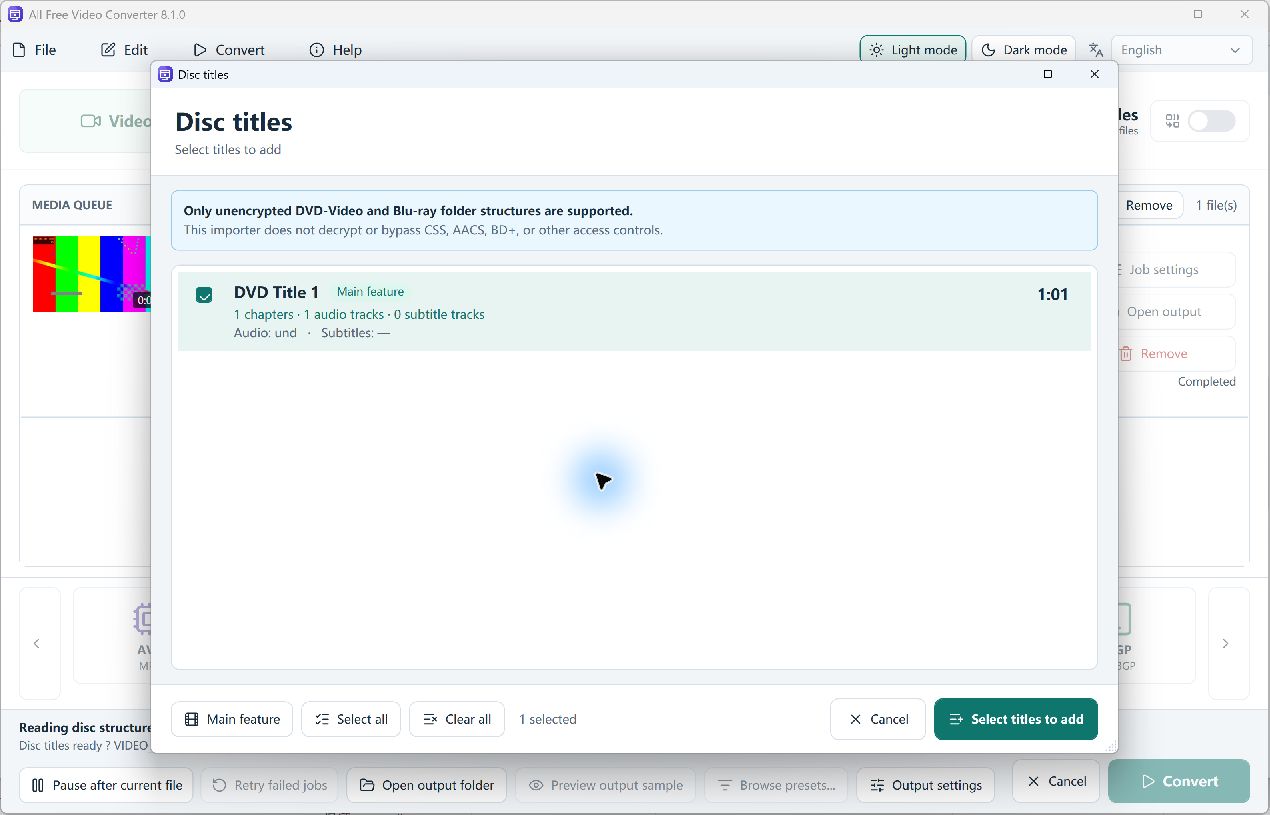
Click DVD / Blu-ray and open an unencrypted DVD-Video folder from your own or authorized material. Check the title’s duration and track counts, then click Select titles to add.
Choose MP4 · H.264 and check output
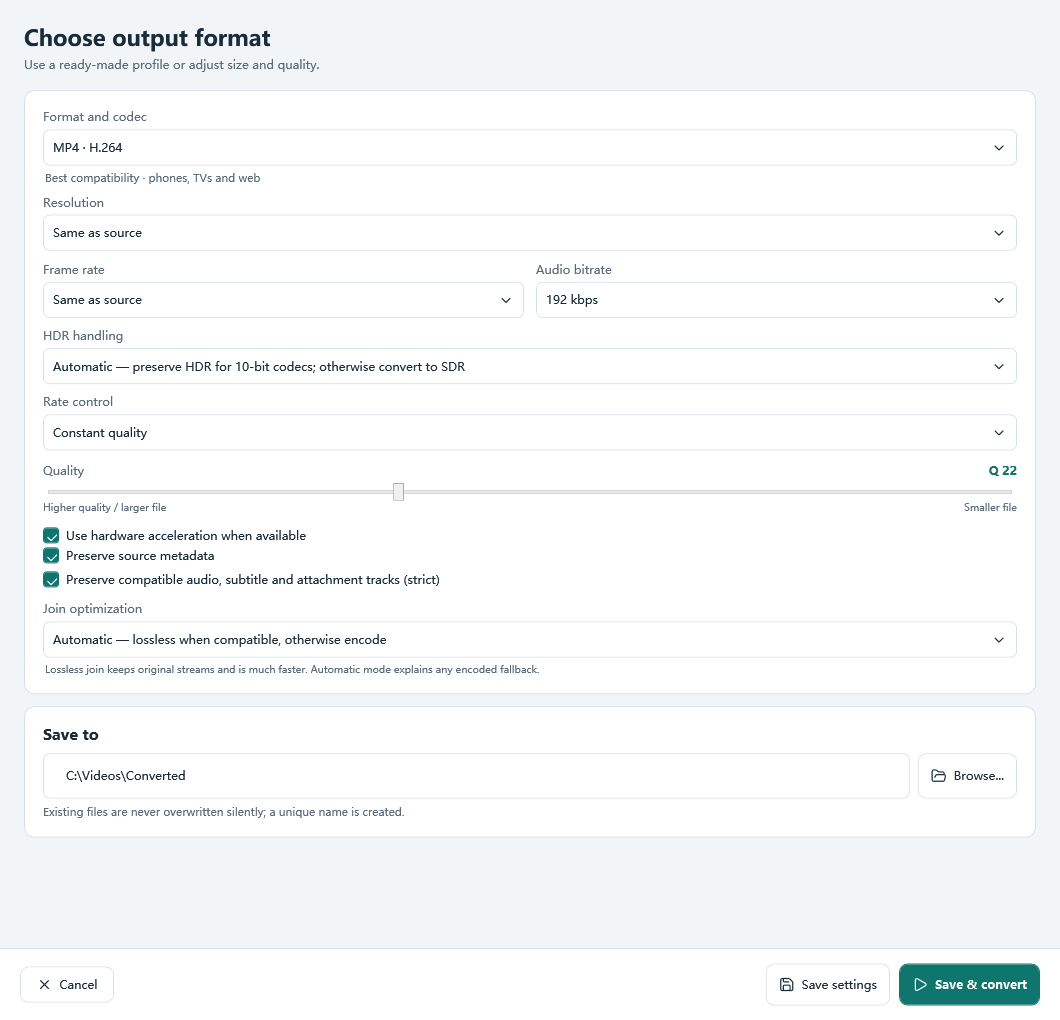
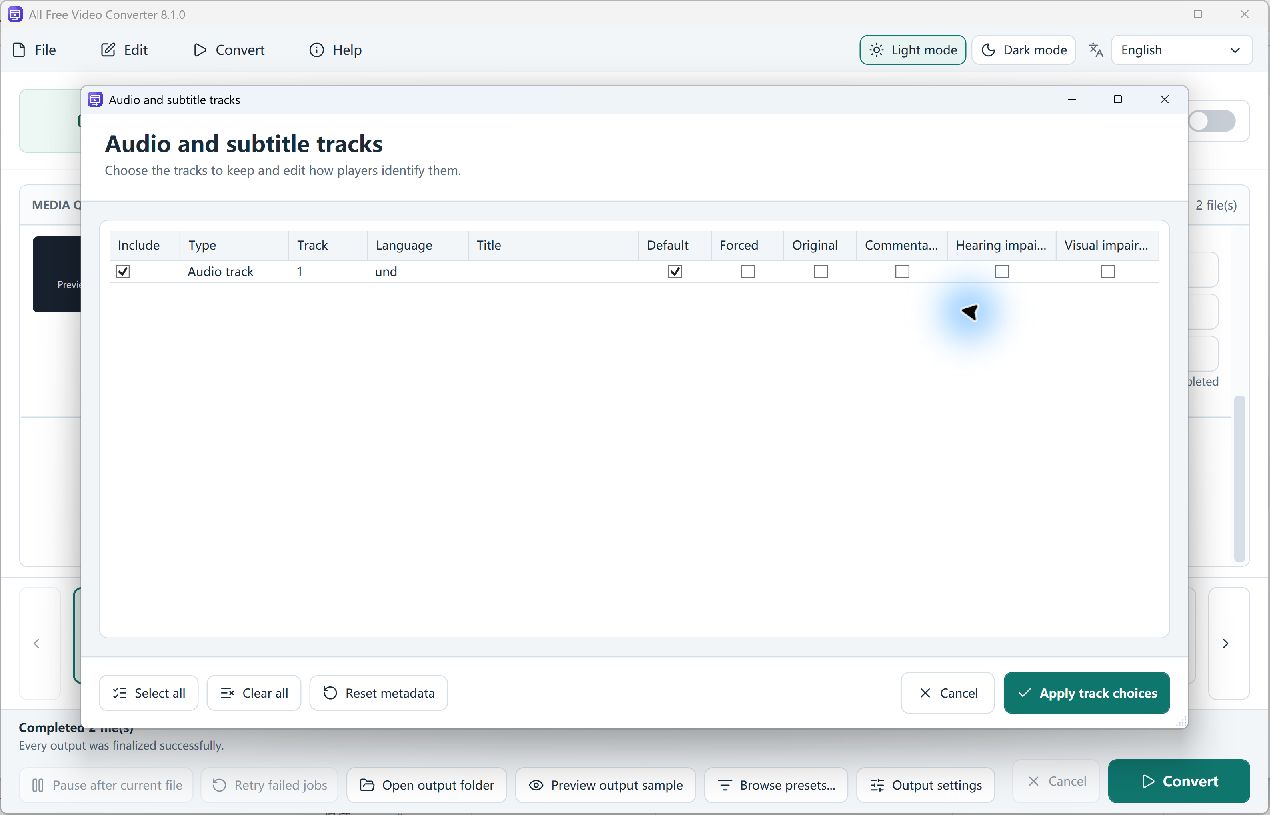
Select MP4 · H.264 on the main window. Start with the source resolution and frame rate, check the output folder, and inspect Tracks if you need a particular audio track. Confirm your target player supports H.264 video and AAC audio.
Convert and verify the actual MP4
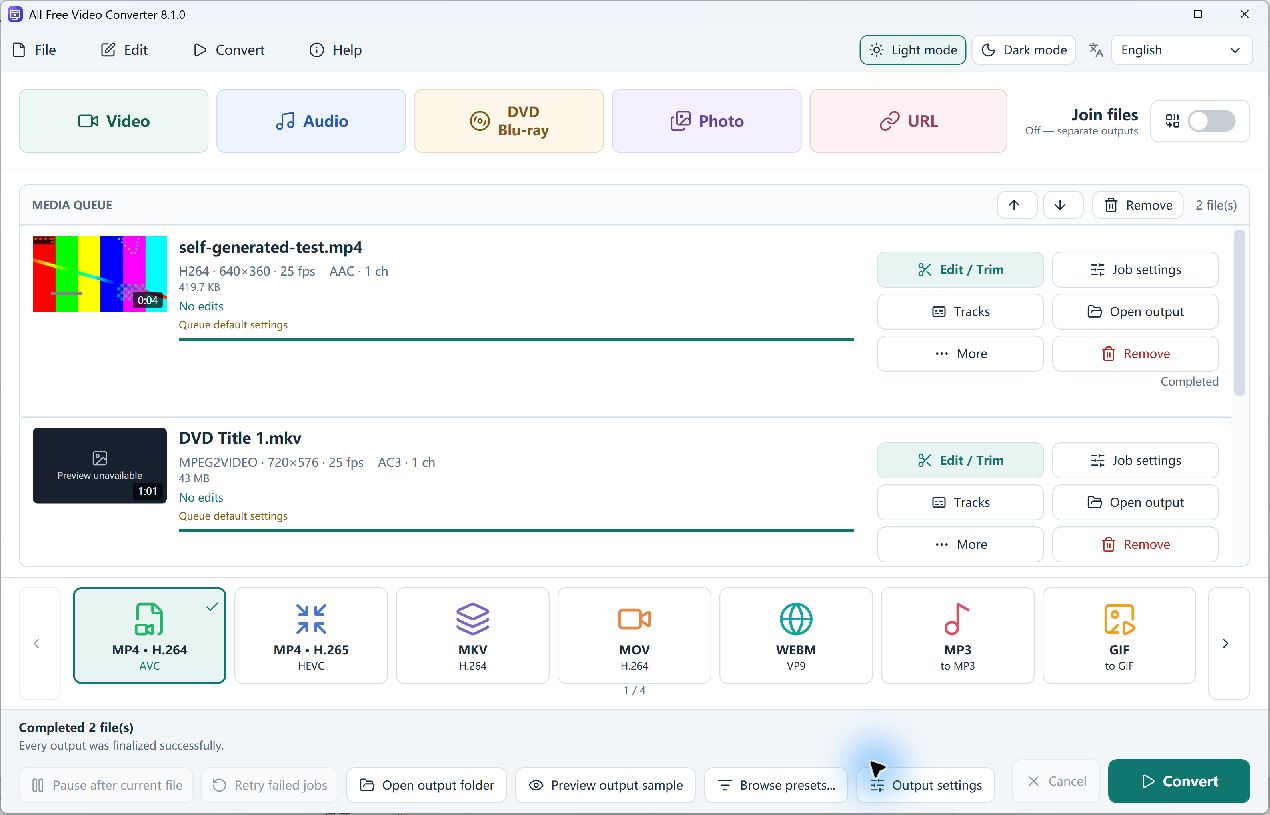
Click Convert and wait for Completed. Open the output and check duration, picture, audio and aspect ratio in your intended player. Our 61-second folder produced a 61.020-second H.264/AAC MP4 and passed a full-file decode check.
Follow the full VIDEO_TS to MP4 tutorial with real test screenshots
Check the title and sound before starting a batch
Choose one title in Disc titles using its duration and chapter count. Open Tracks for the queued title and check the audio you intend to include. See the title-picker and track controls, then play the completed MP4 in your target player.
What you can do with Free DVD to MP4 Converter
DVD folder to MP4
Add an unencrypted VIDEO_TS folder, choose the title, then write an MP4 file.
Batch queue
Add many files, set options per file and convert the queue in order.
Quality and size
Use constant quality, an average bitrate or a target file size.
Trim and crop
Keep a range or several segments, then crop, rotate or flip before you convert.
GPU when available
NVIDIA, Intel and AMD encoders are used when your PC has that encoder.
No added watermark
The program does not stamp its own watermark onto the output.
Tested workflow and practical DVD fixes
Tested on 14 October 2026 with All Free Video Converter 8.1.0.
What passed
A self-authored, unencrypted 61-second PAL VIDEO_TS folder imported and converted to MP4: 720 × 576, 25 fps, H.264 video and AAC audio. The 12,266,099-byte file passed a full decode check.
If no titles remain
A valid 4-second self-authored DVD title was filtered during import. The message can also involve damaged, duplicate or menu titles; the two test durations do not establish a universal cutoff.
Check the result before more titles
Verify the intended title, sound and picture in the finished MP4. Our test had one audio track and no subtitles. A physical disc, multiple audio tracks, subtitle output and exact target-size behavior were not tested.
The program does not remove DVD copy protection. MP4 saves the converted title rather than interactive DVD menus. Start with source resolution instead of upscaling.
Related guides
Real DVD conversion screenshots
Click a screenshot to read the controls.
Download All Free Video Converter
Convert an unencrypted DVD folder to MP4.
Frequently asked questions
Is Free DVD to MP4 Converter free?
Yes. Download All Free Video Converter free of charge. Free DVD to MP4 Converter describes this conversion task within that program.
Does it run on Windows 11 and Windows 10?
Yes. It is a 64-bit desktop program for Windows 11 and Windows 10. It does not run on Mac, Android or iPhone.
Do I have to upload my files?
No. Your local files are converted on your Windows PC without uploading them to a conversion website.
Is there an online converter on this page?
No. This page downloads Windows desktop software. Use a Windows 10/11 (64-bit) computer to install and run it.
Can I open a VIDEO_TS folder?
Yes. Add a complete, unencrypted DVD-Video VIDEO_TS folder from material you own or are authorized to convert. Check the imported title and choose MP4 before converting.
Can it decrypt a protected DVD?
No. The program does not remove CSS or other DVD copy protection. Use an unencrypted, authorized source. Changing the output format does not remove protection.
Does the MP4 keep the DVD menus?
No. MP4 contains the converted video, not the DVD’s interactive menu system. Check the title duration and content so you convert the movie or clip you actually want.
Should I convert a DVD to 1080p?
Increasing output resolution does not add detail that is absent from the DVD source. Start with the source resolution and check a sample for quality and size.
Why does a very short DVD title not import?
The importer filters damaged, duplicate, menu and short titles. In our self-authored tests, a valid 4-second DVD title was filtered and a 61-second title was accepted. These examples do not define a universal minimum duration. Check the complete folder and use the original video file for a short clip if available.
Which MP4 format did the DVD test produce?
The tested MP4 · H.264 conversion produced H.264 video and AAC audio, 720 × 576 at 25 fps, with a duration of 61.020 seconds. Check that your target player supports those codecs and your chosen resolution; one successful test does not guarantee every device or DVD source.
Tutorials
Only unencrypted VIDEO_TS and BDMV folders can be opened. The program does not remove copy protection.