Windows guide
Fix a 3GP File That Won’t Play on an Old Phone
A file ending in .3gp can still be rejected. Compare one short file with a known-good clip on the phone to narrow the problem to the codecs, the picture size or where the file is stored.
Download All Free Video ConverterWindows 10/11 (64-bit) · 2.07 MiB online installer. Internet required to download program components.
1. Find out what the phone plays
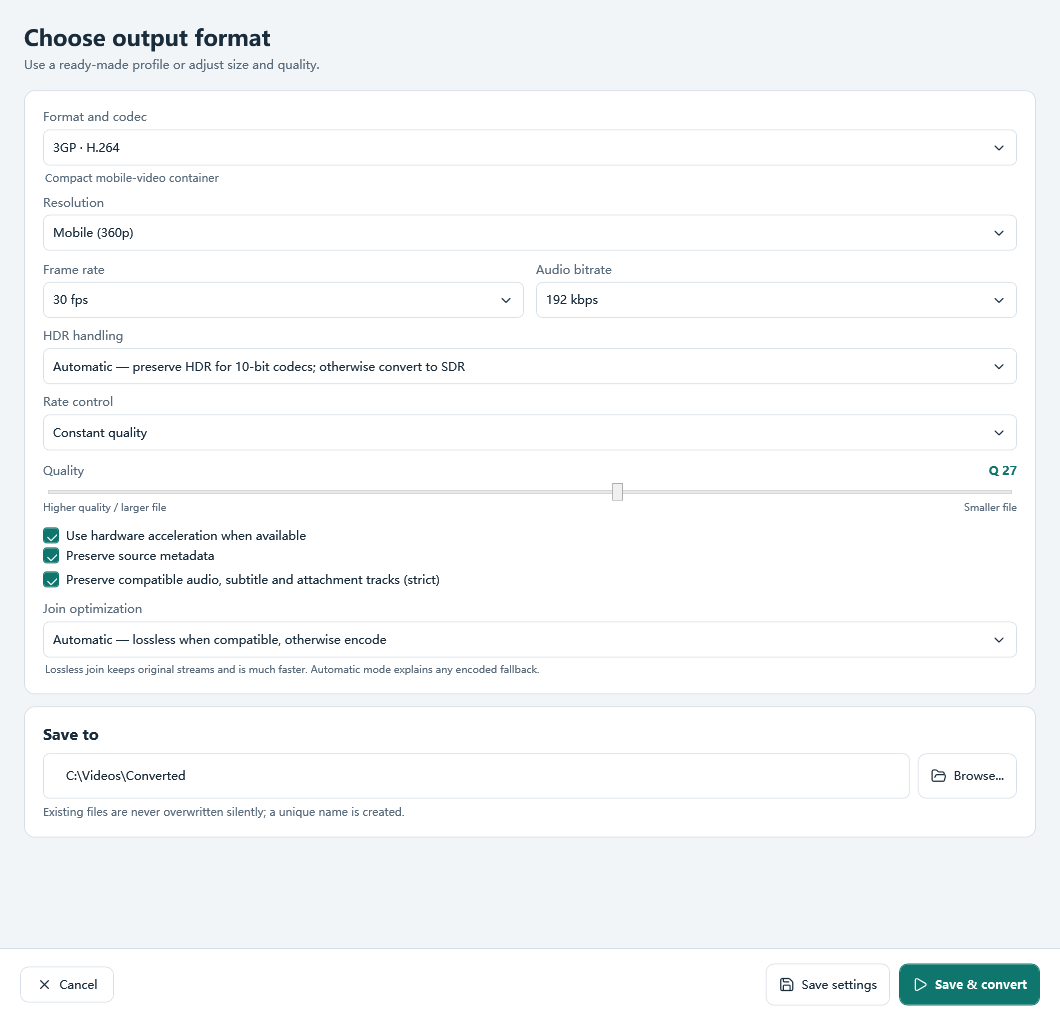
Look up the video codec, audio codec, frame size and frame rate in the phone’s playback specifications. If you have a working video from the same phone, copy it to your PC and inspect its media details as a baseline. This converter’s 3GP preset uses H.264 video and AAC audio. If the phone only accepts H.263 or AMR, use an encoder or preset with those codecs.
2. Make one test file with picture and sound
In All Free Video Converter choose Video, add a short local clip with audible sound and select 3GP. Open Output settings and match the size and frame rate your device supports. Choose a folder in Save to, save the settings and click Convert. If your source is a YouTube link you are allowed to save, use the YouTube to 3GP workflow. The resolution shown by Read formats belongs to the source. Set your output resolution separately.
3. Test through the phone’s media player
Play the finished file on Windows first, then copy it into a folder the phone can already play media from. Open it in the phone’s own video player. Check that the picture moves, you can hear the audio and the clip lasts to the end. A file that plays on Windows but fails on the phone points to a device constraint. A picture with no sound narrows the search to the audio codec, source audio or playback settings. If known-good and new clips both disappear in a folder, check which locations the phone’s player scans.
Continue with the right source
See the local 3GP converter and its settings or the YouTube source and quality walkthrough. If playback still fails, send your device model, selected settings and the full error to AllFreeVideoSoft support.