Windows guide
144p Missing from the YouTube Format List?
Check which source qualities the link offers, then set the 3GP output size separately if your device needs a small picture.
Download All Free YouTube DownloaderWindows 10/11 (64-bit) · 2.07 MiB online installer. Internet required to download program components.
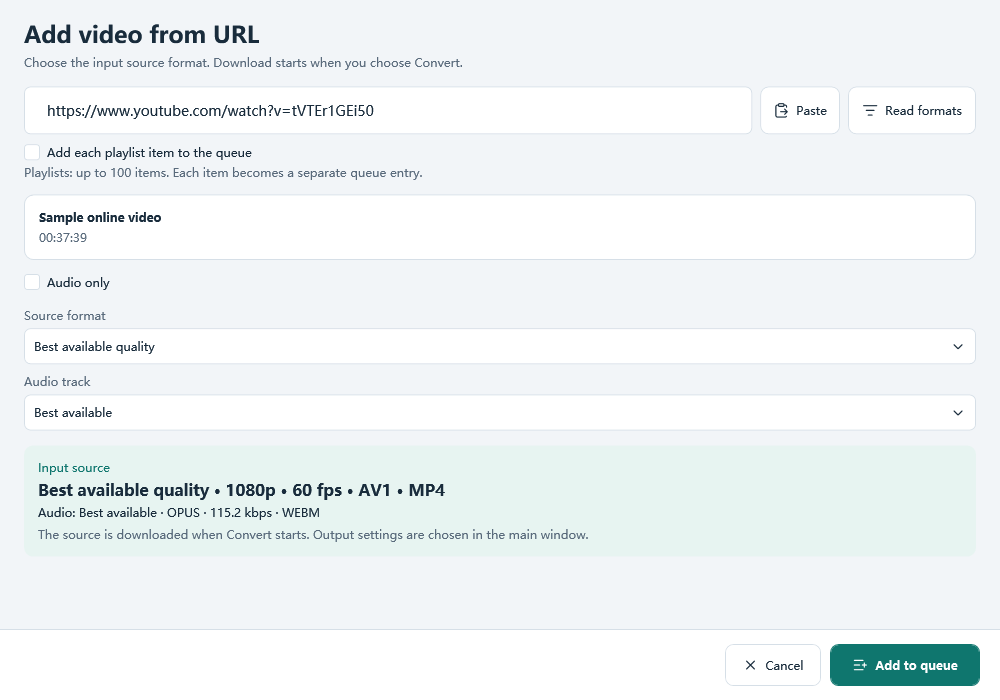
Read the source list again
For a video you have permission to save, choose Add YouTube link and paste its normal watch URL. Use Read formats and wait for the list. Check that the title matches the video you intended. If the page is restricted or the list never opens, test another authorized public link before changing any output settings.
Work with a quality the source offers
If the list opens but has no 144p entry, select an available source that includes sound or choose Best available quality. Add that source to the queue. To make a small phone copy, select 3GP and set the required dimensions in Output settings. A target height of 144 pixels does not create a 144p entry in the source list.
Confirm the result where it matters
Set Save to to a writable folder and choose Convert. Open the completed file and play a portion with voices. If it works in Windows but fails on the phone, compare its codecs and frame size with a working phone clip before choosing another YouTube quality.