How to convert YouTube to iPod
Use All Free YouTube Downloader for this job. Save YouTube videos for iPod. The program runs on your Windows PC.
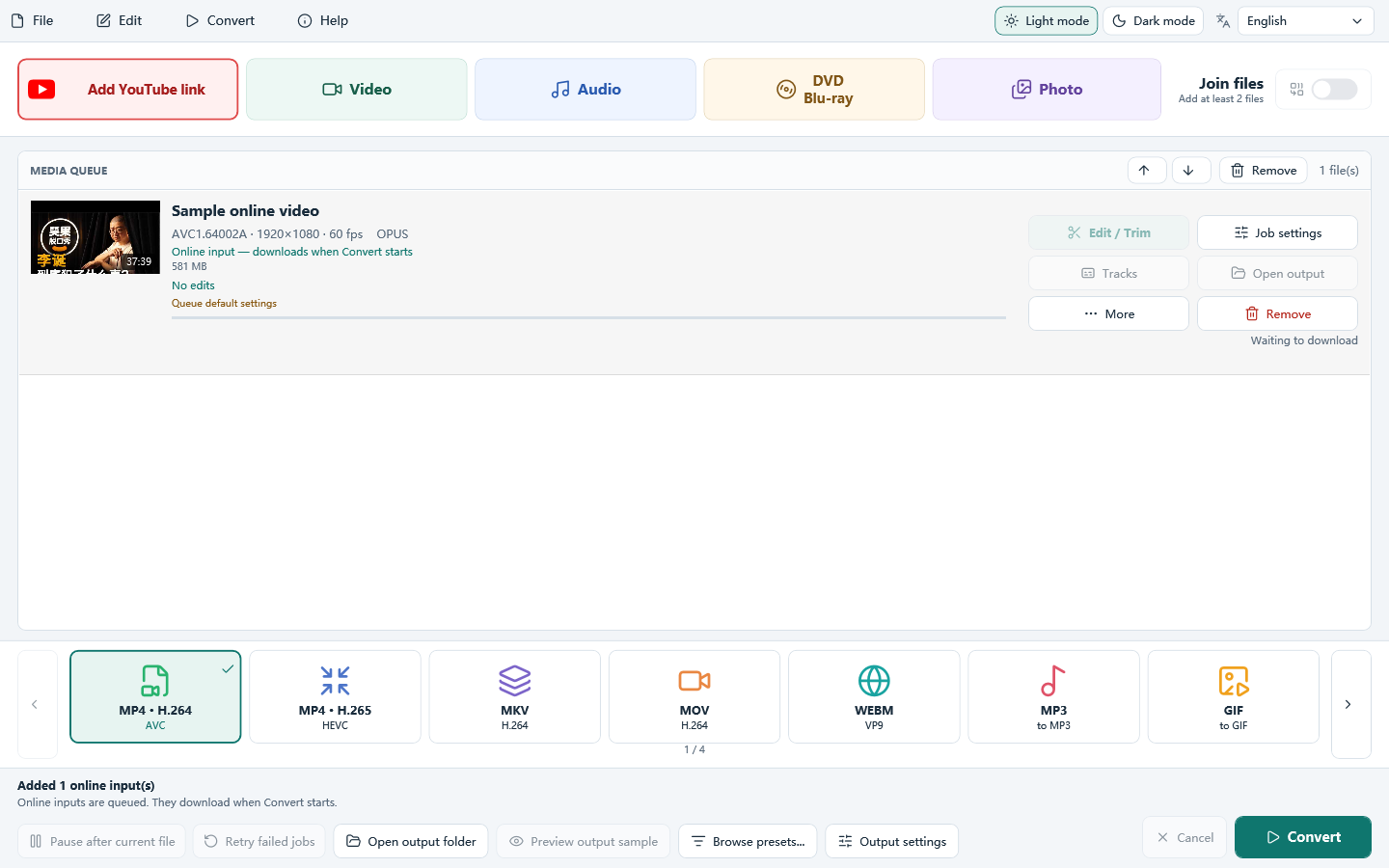
Do it in 3 steps
The screenshots are from the current program.
Download All Free YouTube Downloader
This guide uses All Free YouTube Downloader. The first button is Add YouTube link.
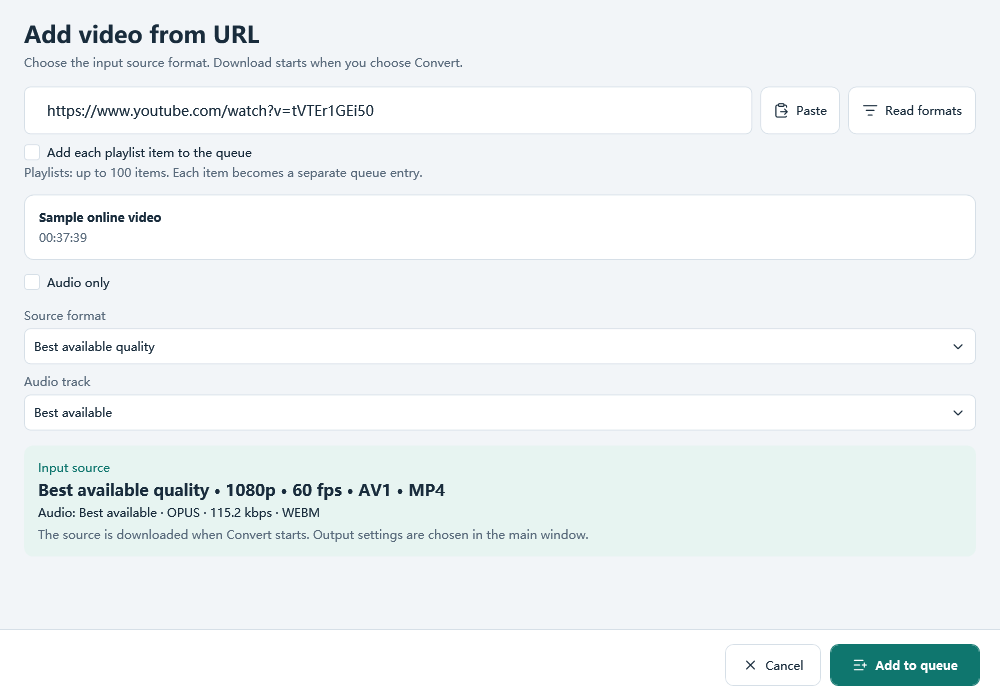
Paste a link and click Read formats
Paste a public video link and click Read formats. The window starts on Best available quality and shows the size it can read. Nothing is downloaded yet. Add it to the queue.
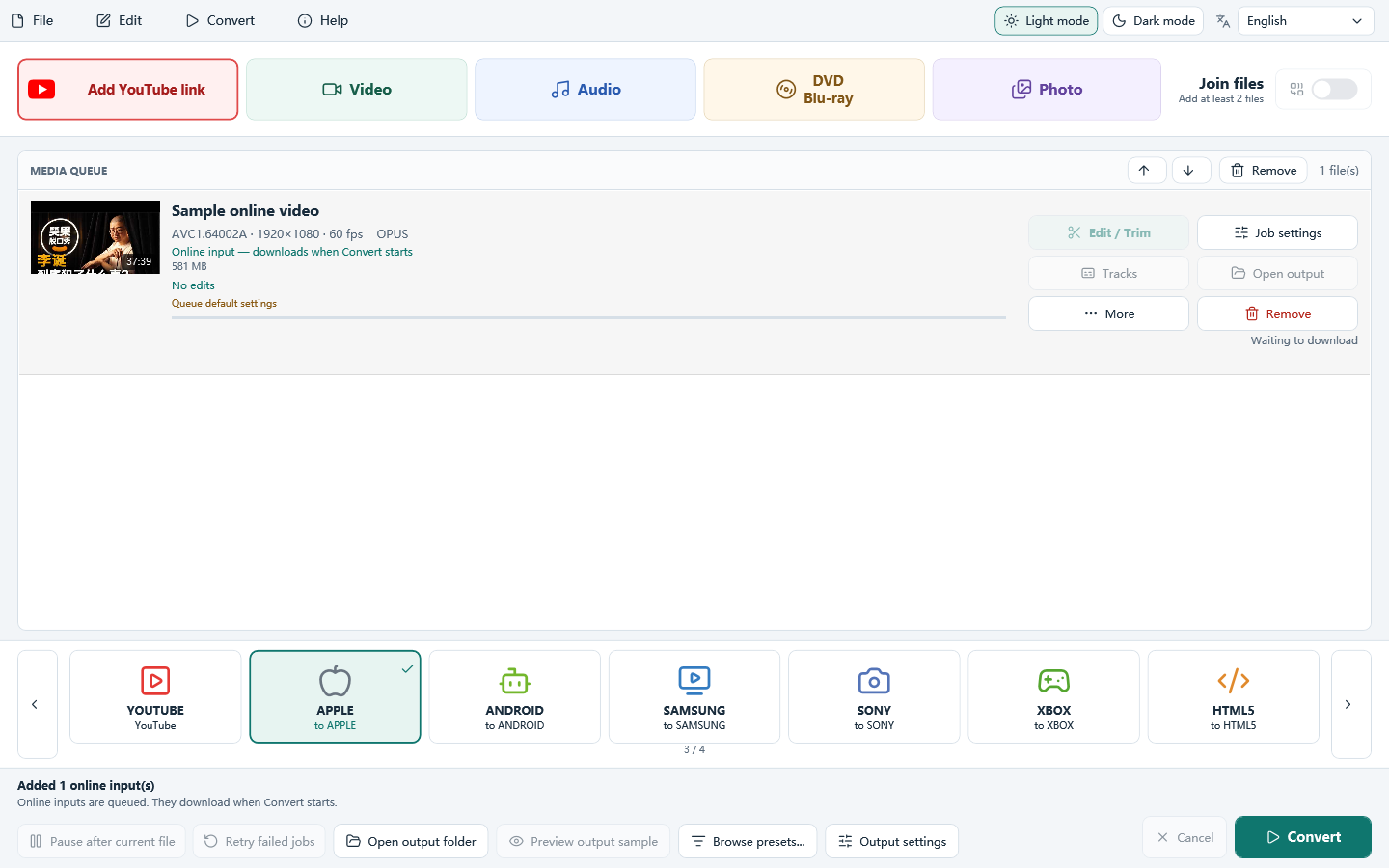
Choose an Apple profile and click Convert
On the main window, select an Apple profile and click Convert. The download starts, then the file is written. The URL window only chooses the source.
Download only videos you own or have permission to save, and follow YouTube’s Terms of Service. The program does not bypass DRM or other access controls. A public link works only when the download module can read it.
Download All Free YouTube Downloader
How to convert YouTube to iPod