All Free Video Converter

All Free Video Converter on Windows
How to Convert FLV to AVI
Use All Free Video Converter for this job. Convert FLV files to AVI. The program runs on your Windows PC.
Do it in 3 steps
The screenshots are from the current program.
Download All Free Video Converter
Free FLV to AVI Converter is included in All Free Video Converter. Install it, then open the program.
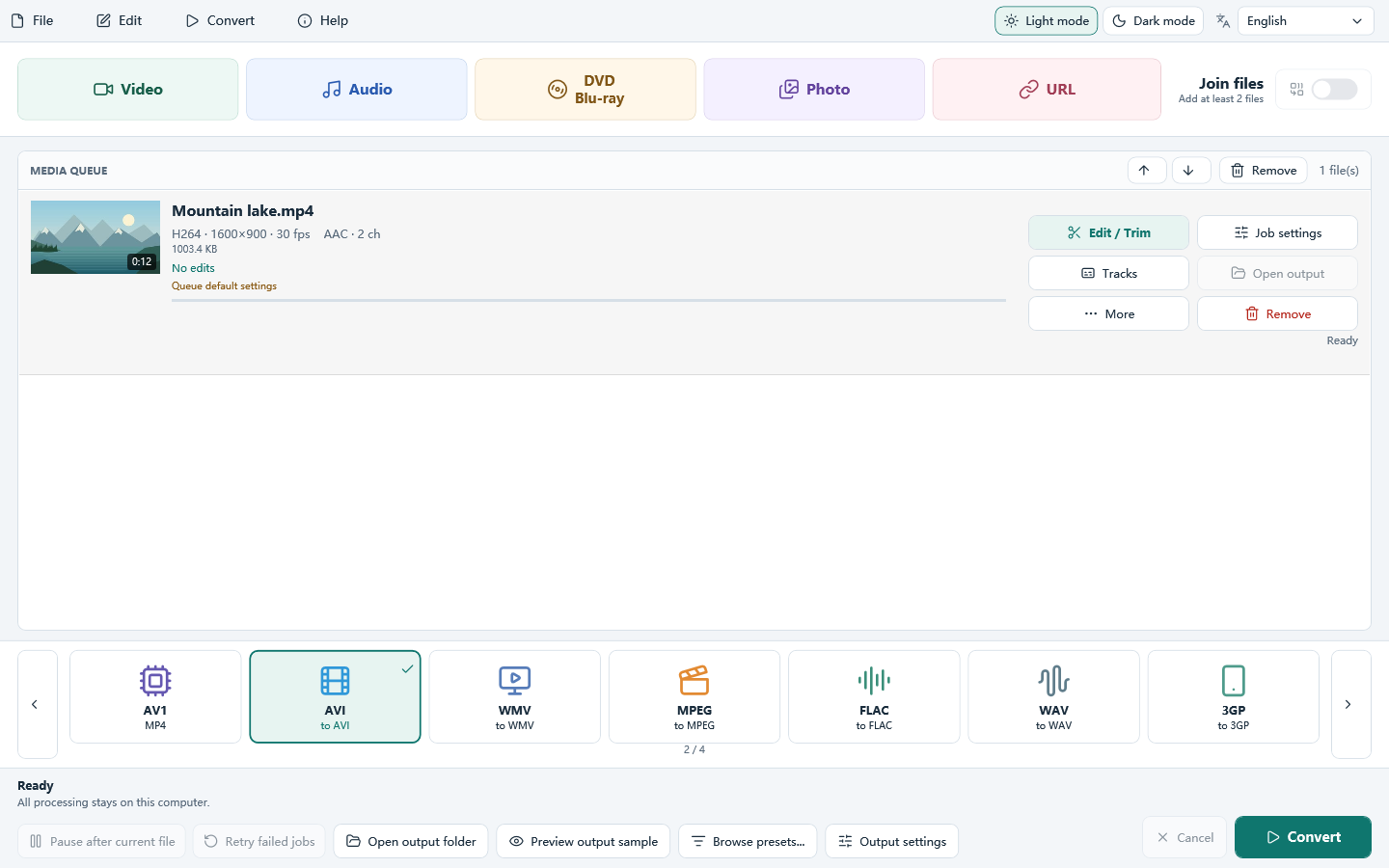
Add your files
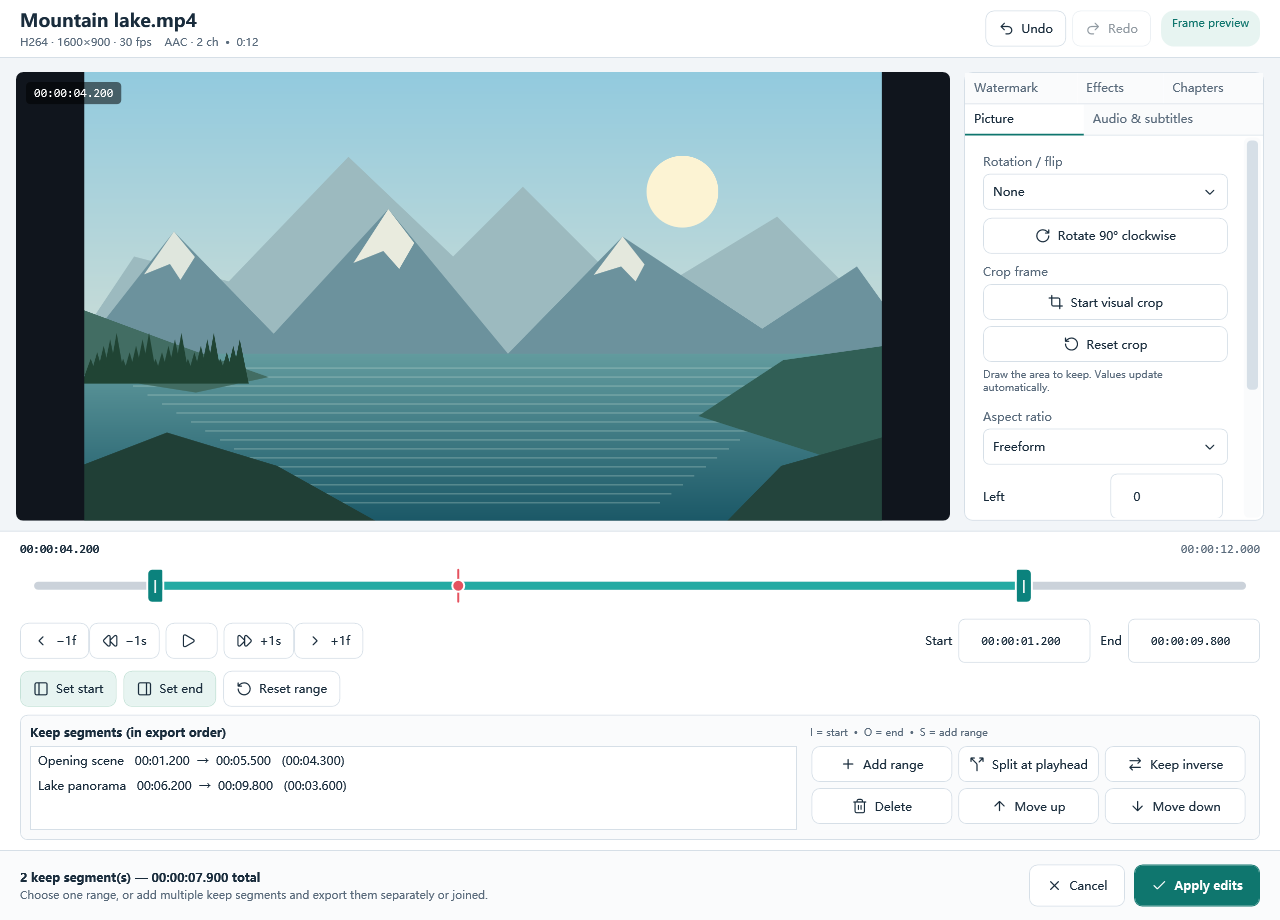
Add one file, several files, or a folder. You can also drop files on the window. Trim or crop first if you only need part of a clip.
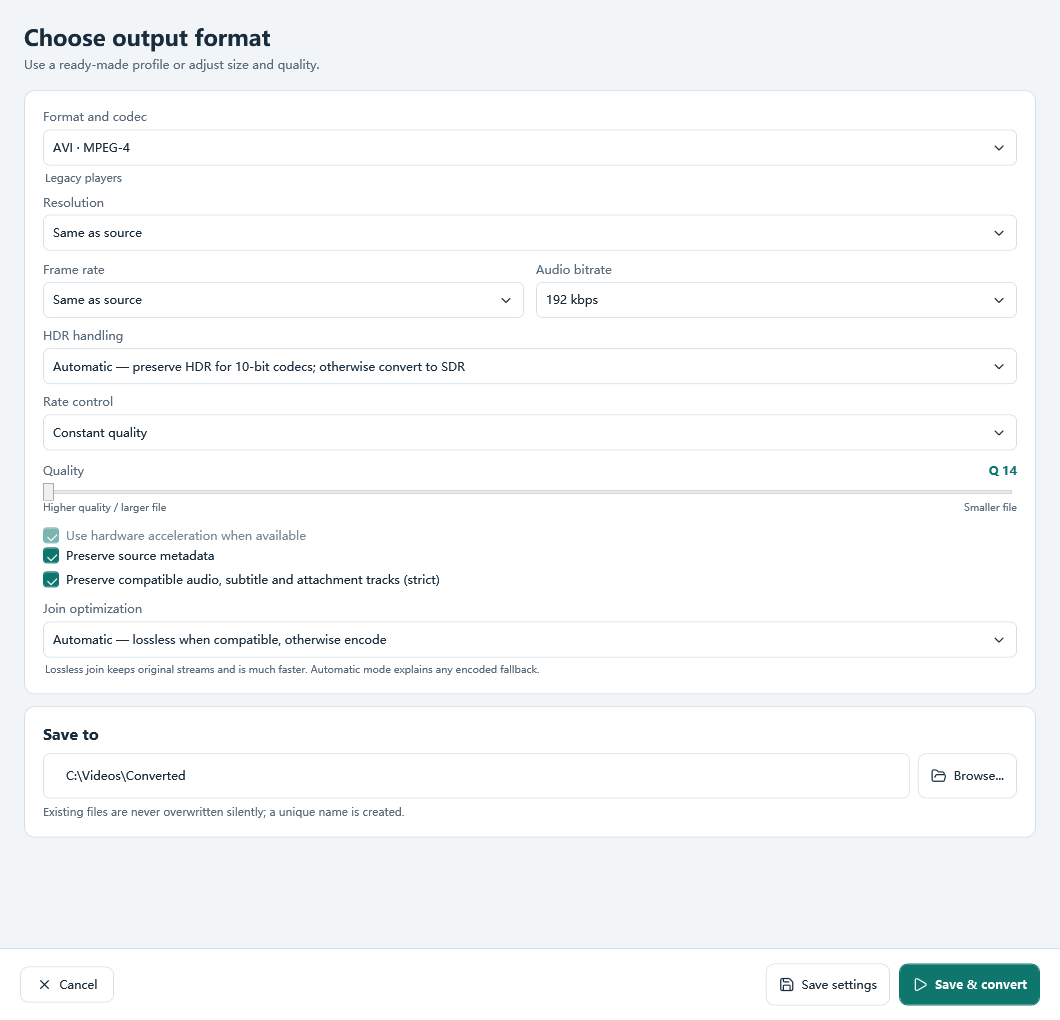
Choose AVI and convert
Select AVI on the main window. Set quality, bitrate or a target size, then click Convert.
Download All Free Video Converter
How to Convert FLV to AVI